



IBO Player for PC – IPTV Subscription on Windows
IBO Player for PC: Install IPTV on Windows & Get Your IPTV Subscription
Download IBO Player Pro from the official Microsoft Store…
IBO Player for PC – Install IPTV on Windows
Looking for an easy way to watch IPTV on your Windows PC or laptop? You can install IBO Player Pro directly from the Microsoft Store and use it with your IPTV subscription.
💻 How to Install IBO Player on PC
Download IBO Player Pro from the official Microsoft Store:
IBO Player Pro – Microsoft Store:
https://apps.microsoft.com/detail/9msnk97xpvrk?hl
After installing the application:
- Open IBO Player Pro on your PC.
- Find your MAC Address displayed in the application.
- Take a clear screenshot of the MAC Address.
- Send the screenshot to us via WhatsApp.
- We will configure your IPTV playlist for IBO Player.
🎁 IBO Player Setup Included
When you purchase your IPTV subscription from us, we take care of the IBO Player playlist setup at no additional cost.
The price stays the same:
There is no extra fee for the IBO Player setup.
📺 IPTV Subscription for Windows
Choose the subscription that suits you:
EAGLE – $50 / 1 Year
https://xtream-m3u-iptv.com/iptv-subscription-12-months-50/
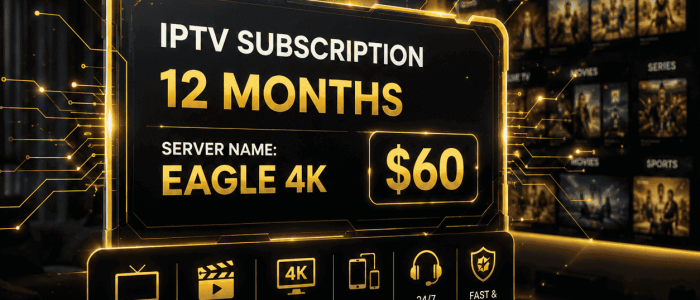
EAGLE 4K – $60 / 1 Year
https://xtream-m3u-iptv.com/iptv-subscription-12-months-60/
Once your subscription is confirmed and we receive your MAC Address, we can configure your IPTV playlist on IBO Player.
📱 Need Help?
If you have any questions about IBO Player for PC or your IPTV subscription, contact us via WhatsApp:
Download IBO Player → Send your MAC Address → Choose your IPTV subscription → We handle the setup.
Note: IBO Player is a media player. It does not provide IPTV channels by itself; a valid IPTV subscription or playlist is required.
IBO Player Pro – IBO Player on Windows – IPTV on PC – IPTV subscription for PC – IBO Player IPTV setup
About the Author